
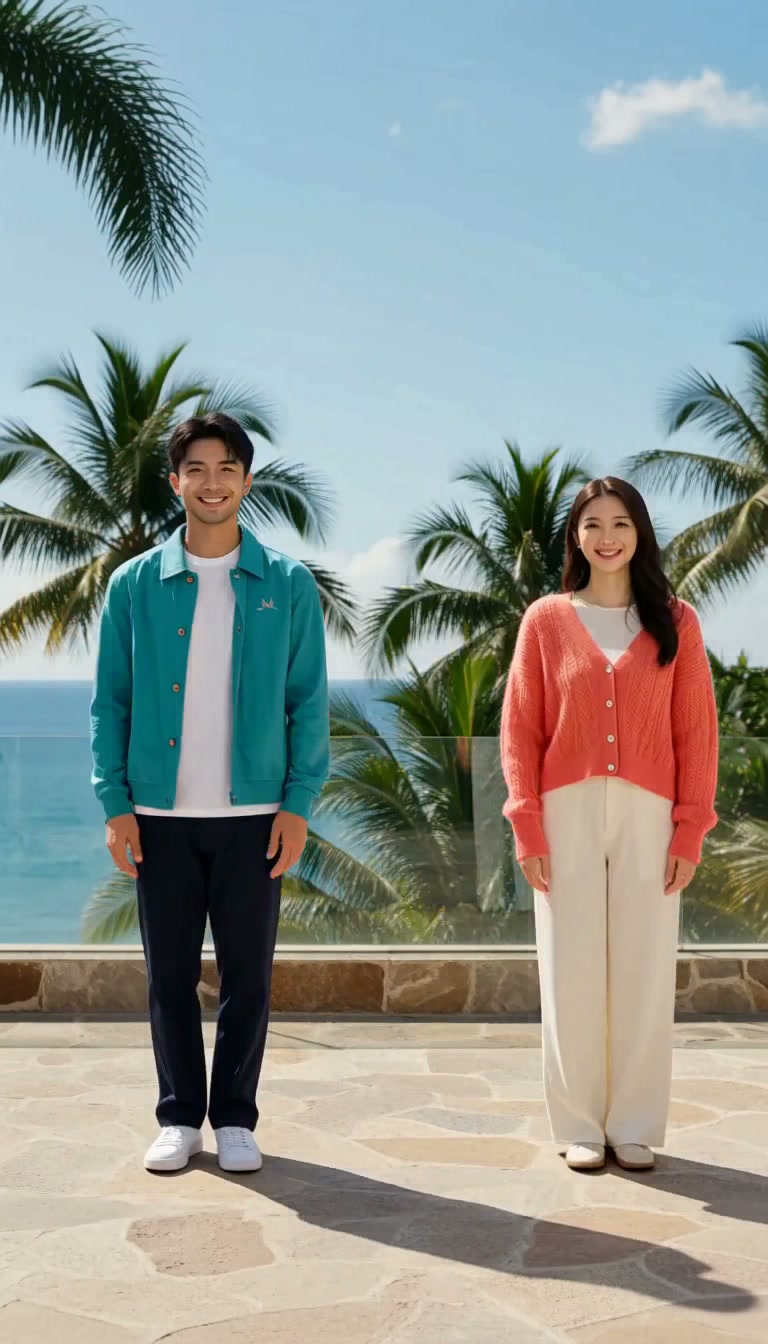
Original terrace dance
Two original fictional adult friends make small synchronized side steps, then face each other. Generated from the written text prompt; this is not Chuttamalle film footage.
MiniMax H3 · 768 × 1344
Original ideas. Real video workflows.
A Chuttamalle AI video can mean a music-led template edit, a synthetic dance or discussion of altered song footage. Choose the outcome first. Generate a new dance below, or use Motion Control with a performance you are allowed to reuse.
Our example is an original fictional dance, with no copied song footage or artist likeness. Add your licensed soundtrack after review.
Start with an original dance preset, upload an authorized scene to animate it, or select Motion Control for an image plus an MP4 movement reference.
To transfer an authorized dance, select Motion Control and add one character image plus an MP4 motion reference. This uses a paid Kling model; H3 starter credits do not cover it.
Play the original output and inspect the actual model, duration and prompt. The examples are fictional creative scenes made for this guide.
Two original fictional adult friends make small synchronized side steps, then face each other. Generated from the written text prompt; this is not Chuttamalle film footage.
MiniMax H3 · 768 × 1344
Chuttamalle AI video searches combine the original song, edited social clips and dance-generation tools. Choose your intended result first: an original dance, a beat-timed edit or permitted movement transfer. This creator generates original fictional visuals; the source performance is linked for context.
Use this workflowFor a Chuttamalle AI video draft, use a clear full-body subject or a complete two-person scene. Keep feet visible and silhouettes separate. The original VidLoop sample uses teal and coral outfits on a terrace. Text to Video creates a new scene; Image to Video starts from your composition.
Use this workflowCreate Chuttamalle AI video movement with small side steps and low gestures. Review legs, fingers, facial identity and camera stability throughout the clip. A short visual draft is easier to assess than several complex actions. Standard generation does not transfer a choreography exactly.
Use this workflowFor source-timed Chuttamalle AI video movement, select Motion Control with a permitted MP4 and character image. Match orientation and framing, inspect the quote, then review the complete output. Add licensed sound in your editor. The sample demonstrates original motion rather than copied film footage or music.
Use this workflow| Route | Input | Output |
|---|---|---|
| Music template | Authorized footage and soundtrack | Edited clips on a timing pattern |
| Text to video | One original written dance idea | A newly generated performance |
| Image to video | A complete authorized scene | New movement within that scene |
| Motion Control | Character image + 3–30s MP4 | Movement-guided character video |
Upload clear permitted portraits or a complete scene; keep faces visible, remove overlays. For fictional scenes, select a text preset.
Apply your preset. Review model, mode, duration, quote and balance. MiniMax H3 starter credits fund H3 only; general credits cover other supported models.
Inspect identity, anatomy, movement, camera drift. Revise an instruction responsible for visible errors before download.
Download your reviewed video. Add licensed sound or captions, label synthetic performances, keep source files with generation settings for revisions.
Choose a subscription for regular creation, or a one-time credit pack below. Compare credit quotes by model, duration, resolution and audio. Check out securely with PayPal; monthly plans issue credits each billing period and annual plans release credits monthly.
MiniMax H3 · Member benefit
Every paid plan includes MiniMax H3 credits. A 5-second 768P video uses just 5 credits; a 5-second 2K video uses just 10.
768P
1
credit / sec
2K
2
credits / sec
These rates apply to MiniMax H3 credits, issued monthly on both monthly and annual plans.
Annual credits release monthly.
Monthly creation credits
400 general + 150 MiniMax H3
Monthly creation credits
1,200 general + 300 MiniMax H3
Monthly creation credits
2,800 general + 600 MiniMax H3
One-time general credits for all available models. Credits never expire, with no auto-renewal. Subscription benefits and gifted MiniMax H3 credits are not included.
US$7.99
One-time payment
US$21.99
One-time payment
US$44.99
One-time payment
Billed in USD; credits arrive after payment confirmation. Expiring general credits are used first. Failed tasks return eligible credits to their original balance.
Keep creating with tools that fit your source material.
Made something with Vidloop? Tell other creators how it went and what you would change.
Be the first to share your experience. There are no published creator reviews for this page yet.
We review feedback before publishing and use only the public name you choose. For help with a task or billing, contact support.
Inputs, actual capabilities and your next draft.
No. The sample is an original fictional dance made for VidLoop. The official source performance is linked for context; its footage and song are not bundled into our generator.
Motion Control uses the reference movement, but identity, anatomy and timing can still change. Review the result. Standard text or image generation does not promise an exact choreography transfer.
Local planning tools are free. Generation uses the displayed model quote. MiniMax H3 starter credits fund H3 only. Compare official subscriptions and credit packs below.
Confirmed failed generations return reserved credits. A delay alone does not confirm failure. Keep the task reference and contact support if its status remains unresolved.
Use permitted photos and licensed sound. Public availability does not grant reuse rights. Label AI performances that could be mistaken for real events.
These are original VidLoop examples with actual model, input and prompt records. Code renders are labeled separately. No competitor affiliation or integration is implied.
Choose the matching input, review a short draft and keep the original source and settings with your finished video.
Make your video